Buying Guide
USB-C, Lightning or Micro-USB? How to Choose the Right Charging Cable
Type C, Lightning or Micro-USB? How to pick the right charging cable in the UAE for your phone, iPhone, tablet or laptop, and what 60W, 100W and 480Mbps really mean.
oraimo.ae editorial team9 min read
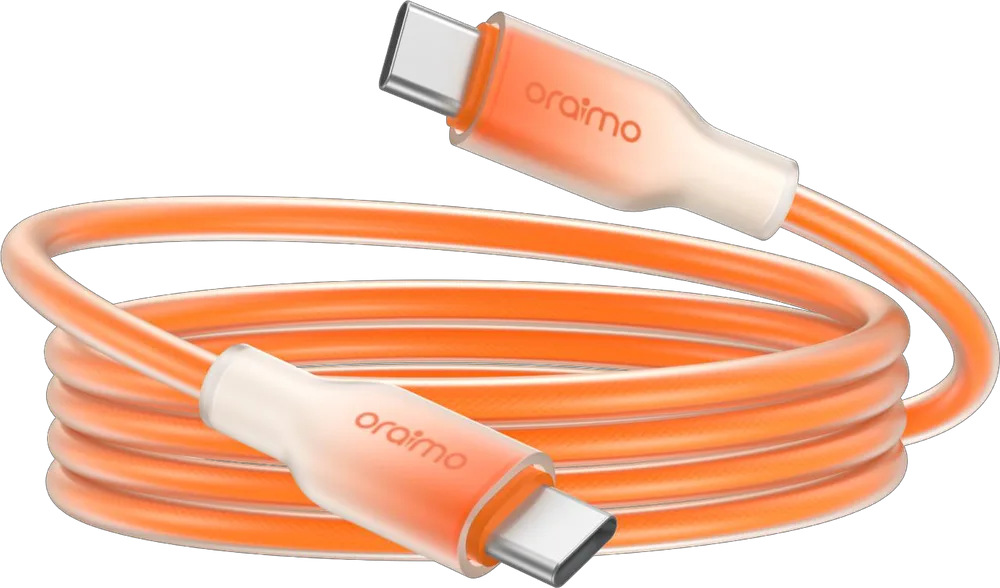
The right charging cable is the one whose plug matches your device's port and whose rating matches your charger. In the UAE today that usually means a Type C cable: almost every current Android phone, every iPhone from the iPhone 15 onwards, current iPads and many laptops charge through USB-C. Lightning is only for iPhone 14 and older models (and some older Apple accessories), and Micro-USB survives on budget phones, older power banks, rechargeable fans and small gadgets. Once the plug is right, the second question is power: a 3A / 60W cable covers any phone, while a laptop on USB-C needs a 5A / 100W cable.
This guide shows you how to identify each connector, what the numbers on the box actually mean, and which oraimo charging cable fits which job, using the specs oraimo publishes for each model.
Quick answer: which charging cable do you need?
| Your device | Port on the device | Cable to look for | oraimo example |
|---|---|---|---|
| Android phone from the last few years (Samsung, Xiaomi, TECNO, Infinix and others) | USB-C | Type-C to Type-C (USB-C charger) or USB-A to Type-C (older charger) | CandyLine 3 OCD-153CC |
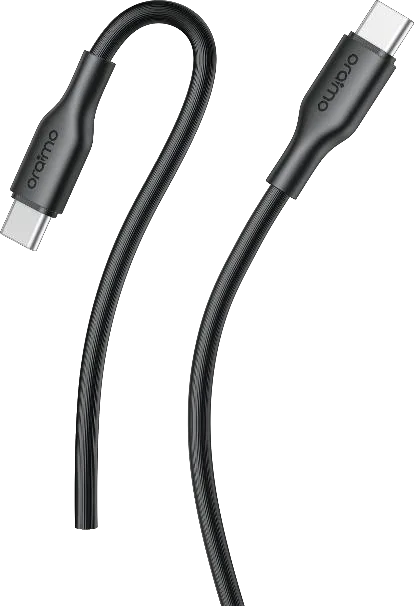
| iPhone 15, 16 or 17 | USB-C | Type-C to Type-C | RobustLine OCD-114CCJ |
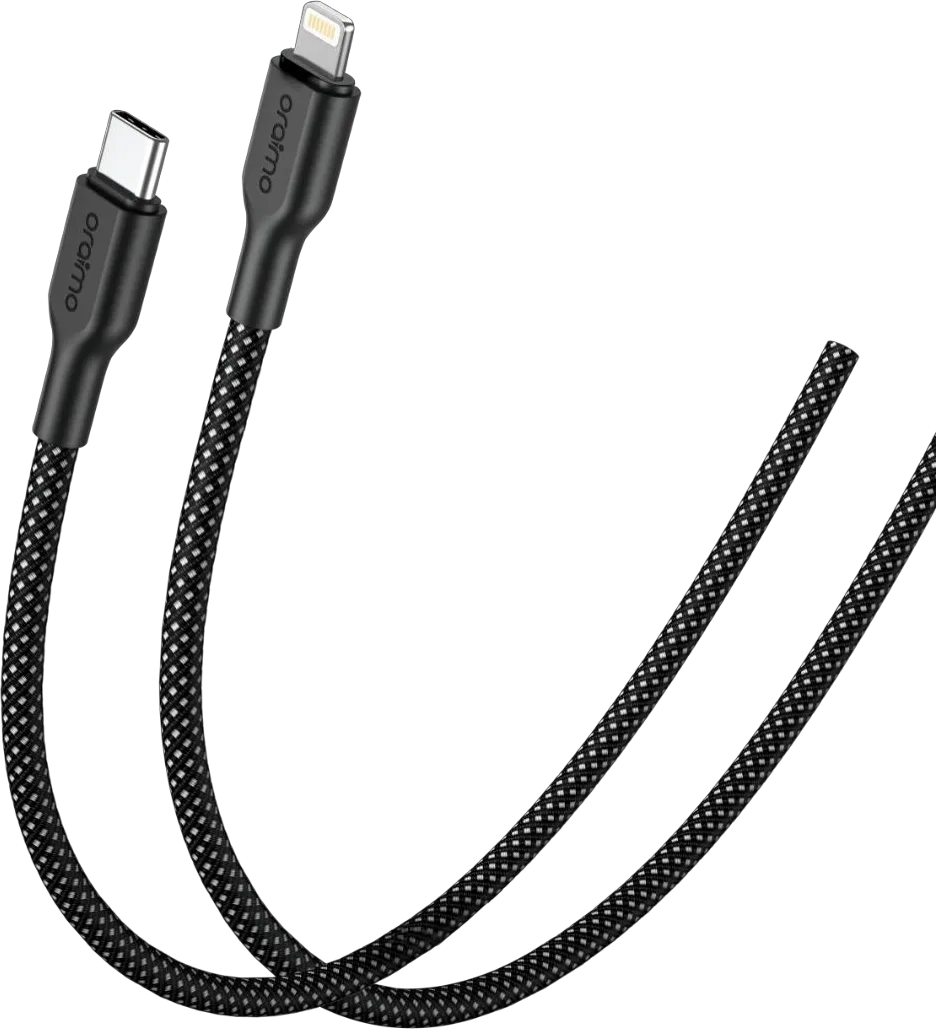
| iPhone 14 or older | Lightning | Type-C to Lightning for fast charging | Braid OCD-152CL |
| Laptop, MacBook or tablet charged over USB-C | USB-C | 5A, 100W Type-C to Type-C | RobustLine OCD-1145CC |
| Older or budget phone, fan, speaker, power bank input | Micro-USB | USB-A to Micro-USB | RobustLine OCD-114MJ |
| A household or car with mixed devices | Several | Multi-head cable | DuraLine 4 OCD-118MCL |
You can browse every model in our charging cables category.
How do you tell USB-C, Lightning and Micro-USB apart?
Look closely at the port on your device:
- USB-C (Type-C): a small, rounded oval. It is reversible, so the plug goes in either way up. This is the current standard for phones, tablets, earbuds cases, power banks and many laptops.
- Lightning: Apple's own connector. Thin and flat, also reversible, with the metal contacts on the outside of the plug rather than inside the port. Found on iPhone 5 through iPhone 14 and older AirPods and iPad models.
- Micro-USB: a small trapezoid, wider on one side, so it only fits one way. Common on older Android phones, Bluetooth speakers, handheld fans and budget accessories.
Then look at the other end, the one that goes into the charger. Older chargers, car sockets and many power banks have USB-A, the larger rectangular port. Newer fast chargers have USB-C. A cable is always described from the charger end to the device end, so "USB-A to Type-C" means the big rectangular plug goes into the charger and the Type-C plug goes into your phone.
Why does the charger end of the cable matter?
Modern fast charging, especially USB Power Delivery (PD), is built around USB-C at both ends. If you have bought a recent GaN wall charger such as the PowerGaN 351 or HyperGaN 701, its main ports are USB-C, so a Type-C to Type-C cable is the natural match.
USB-A to Type-C cables still have their place: older chargers, many car chargers and most power banks have at least one USB-A port. Some, like the CandyLine 3 OCD-153C, are rated up to 3A, 60W max, while basic models such as the RobustLine OCD-114CJ are rated 5V 2.4A. If you are not sure which ports your charger has, take a photo of it and send it to us on WhatsApp.
iPhone owners: Lightning or USB-C?
Apple moved the iPhone to USB-C with the iPhone 15, so:
- iPhone 15, 16 and 17: use a Type-C to Type-C cable. Note that Apple lists the standard (non-Pro) iPhone 15 and 16 models at USB 2.0 data speed, which is the same 480Mbps that oraimo cables are rated for, so you are not losing anything on transfers.
- iPhone 14 and earlier: use Lightning. Apple's support pages say you can fast charge an iPhone 8 or later to about 50% in around 30 minutes with a USB-C to Lightning cable and a 20W or higher USB-C power adapter. A USB-A to Lightning cable works, but it is the slow route: oraimo rates its CandyLine 2 OCD-121L and Braid OCD-152L USB-A to Lightning cables at 12W max.
For an older iPhone, the Type-C to Lightning options are the Braid OCD-152CL (3A, 45W max, rated to support PD 30W), the soft-touch CandyLine 3 OCD-153CL (3A, 45W max) and the RobustLine OCD-114CLJ (3A, 45W max).
What do 3A, 60W, 100W and 480Mbps actually mean?
Cable boxes are full of numbers. Here is what each one tells you:
- Amps (A): the current the cable is built to carry. Everyday cables are 2A to 2.4A, fast-charging cables 3A, and laptop cables 5A.
- Watts (W): volts multiplied by amps. USB-C fast chargers raise the voltage as well as the current, which is how a cable rated 3A reaches 60W (20V x 3A) and a 5A cable reaches 100W (20V x 5A).
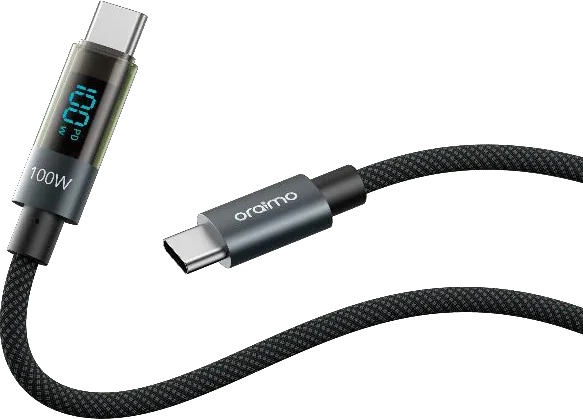
- E-Marker: 5A, 100W USB-C cables contain a small chip that tells the charger the cable can safely carry the higher current. USB-C cables without that chip are generally treated as 3A cables. The DigiLine OCD-175CC lists a built-in E-Marker chip, and adds a small display that shows the charging power in real time.
- 480Mbps: the data transfer rate, equal to USB 2.0. All the oraimo data cables that list a transfer rate in our catalogue are rated up to 480Mbps.
The most important rule: the cable sets the ceiling, not the speed. A 100W cable on a 20W charger still charges at 20W or less. A 2.4A Micro-USB cable on a 45W charger still charges at what Micro-USB and the phone allow. When the phone, charger and cable are all rated for the same fast-charging level, you get the full speed.
oraimo charging cables compared
All figures below come from oraimo's published specs for each model.
| Model | Connection | Rated power | Length | Worth knowing |
|---|---|---|---|---|
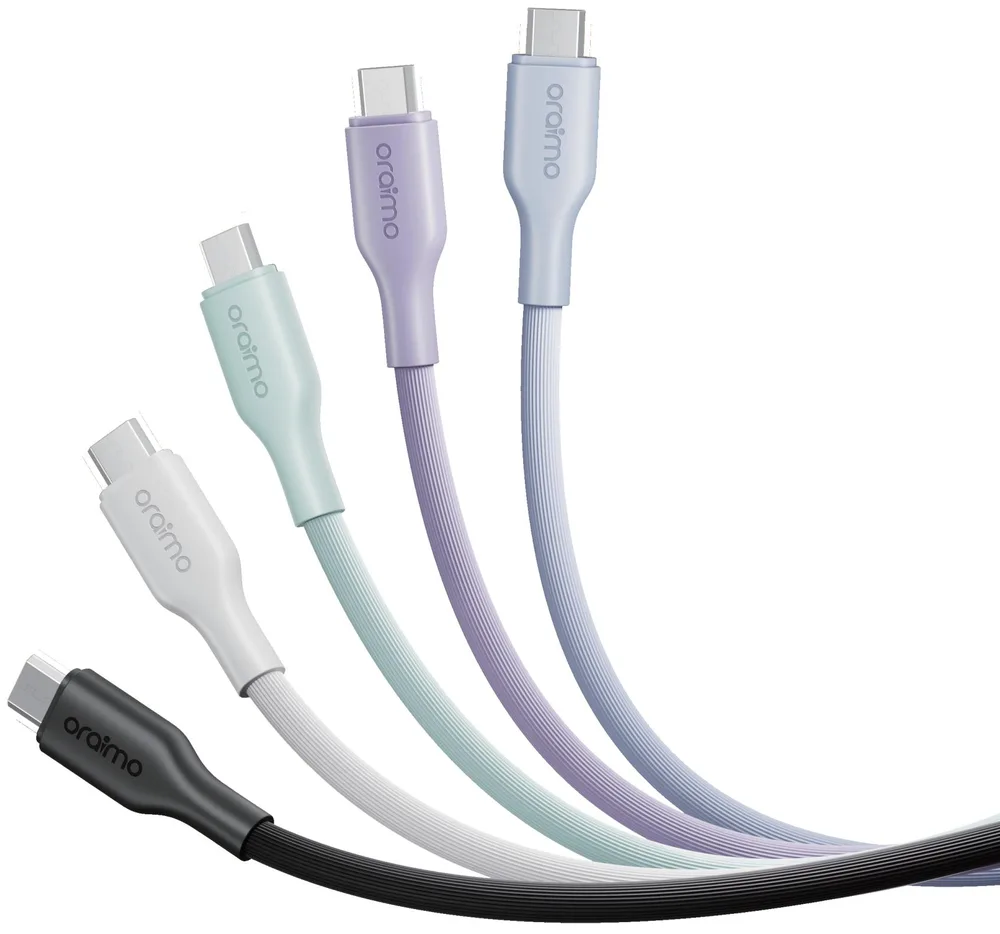
| CandyLine 3 OCD-153CC | Type-C to Type-C | 3A, 60W max | 1m | Braided + liquid silicone, five colours |
| CandyLine 3 OCD-153CL | Type-C to Lightning | 3A, 45W max | 1m | Same soft build for older iPhones |
| Braid OCD-152CC | Type-C to Type-C | 3A, 60W max | 1m | Braided, supports PD3.0 and QC3.0 |
| Braid OCD-152CL | Type-C to Lightning | 3A, 45W max | 1m | Braided, supports PD 30W |
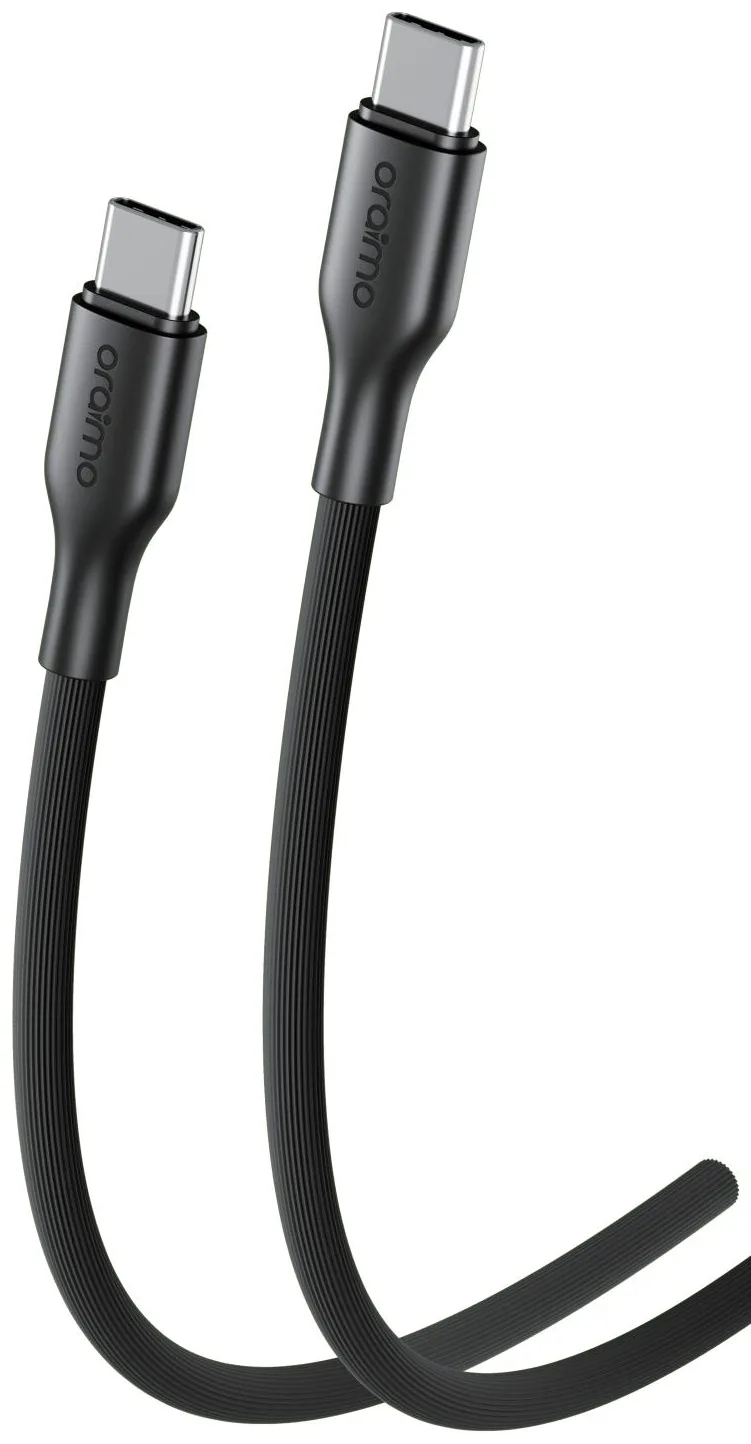
| RobustLine OCD-114CCJ | Type-C to Type-C | 3A, 60W max | 1m | Everyday 60W cable |
| RobustLine OCD-114CC | Type-C to Type-C | 20V 3A (60W) | 1.5m | Extra reach for sofa or back seat |
| RobustLine OCD-1145CC | Type-C to Type-C | 5A, 100W max | 1m | Laptop-ready |
| BraidLine OCD-1525CC | Type-C to Type-C | 5A, 100W max | 1m | Braided, laptop-ready |
| DigiLine OCD-175CC | Type-C to Type-C | 5A, 100W max | 1.2m | Live power display, E-Marker |
| MagCable OCD-710CC | Type-C to Type-C | 20V 3A, 60W | 1m | Magnetic self-aligning, tangle-free |
| SpeedLine 4 OCD-176 | Type-C to Type-C / Lightning | 3A, 60W max | 1m | 2-in-1 magnetic head, auto-coiling |
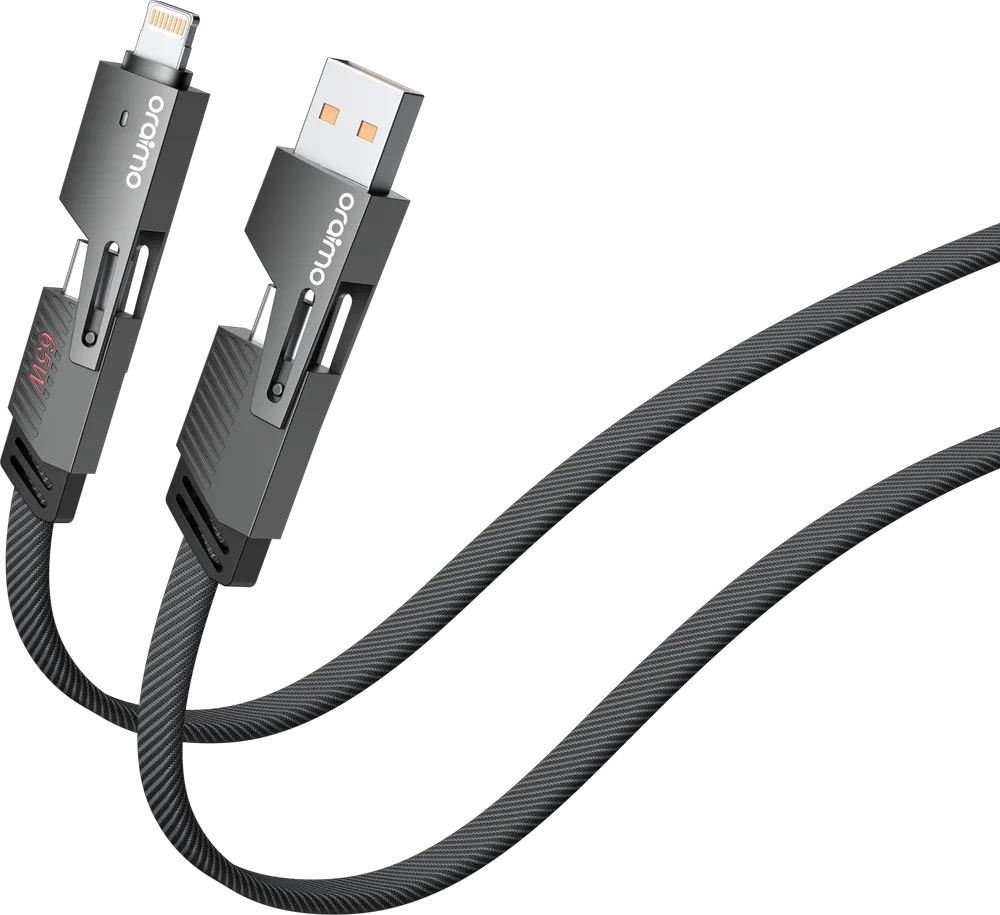
| SpeedLine 4 OCD-155 | USB-A or Type-C to Type-C or Lightning | 65W max | 1m | 4-in-1, works with almost any charger |
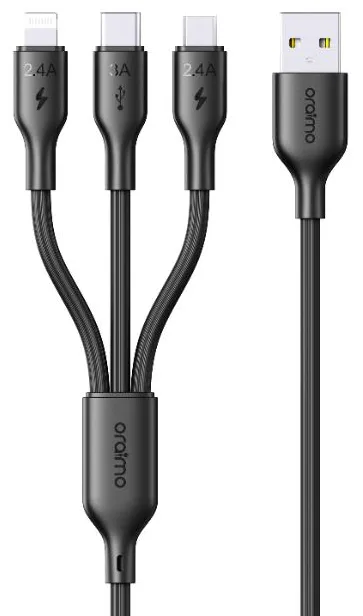
| DuraLine 4 OCD-118MCL | USB-A to Type-C + Lightning + Micro-USB | Type-C 60W; Lightning and Micro-USB 12W | 1.2m | 3-in-1 for mixed households |
| RobustLine OCD-114MJ | USB-A to Micro-USB | 5V 2.4A | 1m | Older phones and gadgets |
| Udon 2X OCD-114M2 | USB-A to Micro-USB | 2.4A, 18W max | 2m | Extra-long Micro-USB |
Which cable should you buy for each situation?
Everyday phone charging at home or the office
A 60W Type-C to Type-C cable covers every phone on sale, including the fastest-charging Android models, as long as your charger supports it. The CandyLine 3 OCD-153CC is the comfortable pick, with a soft silicone outer layer over braiding, and it comes in Stellar Blue, White, Cosmic Orange, Elemental Blue and Lavender Purple, which helps when everyone at home has a cable on the same extension. The Braid OCD-152CC is the plainer black or white alternative.
Laptops, MacBooks and tablets
If you charge a laptop from a 65W to 120W USB-C charger, choose a 5A, 100W cable so the cable is not the bottleneck: the RobustLine OCD-1145CC, the braided BraidLine OCD-1525CC or the DigiLine OCD-175CC, whose live display is useful for checking whether your laptop is really getting the power you expect. These are also the right cables for large power banks with 100W USB-C ports, such as the PowerJet 130.
In the car
Car chargers often have one USB-A and one USB-C port, so a multi-head cable saves fumbling at traffic lights. The SpeedLine 4 OCD-155 plugs into either USB-A or USB-C and ends in Type-C or Lightning, rated 65W max. For a full breakdown of car chargers and mounts, read our guide to the best car chargers and phone holders for UAE road trips.
Bedside, sofa and back seat
The standard 1m length is fine on a desk but often too short in bedrooms where sockets sit low behind furniture, or for passengers in the back seat. The RobustLine OCD-114CC gives you 1.5m at 60W, and the Udon 2X range offers 2m versions for Micro-USB and USB-A to Type-C.
Mixed households and offices
If one family member has an older iPhone, another a Samsung and the kids a Micro-USB tablet or speaker, a 3-in-1 cable like the DuraLine 4 OCD-118MCL keeps one cable at the charging spot instead of three. Note its ratings: up to 60W on the Type-C head, 12W on Lightning and Micro-USB.
Braided or silicone: which lasts longer?
Most cables fail at the neck, where the cable meets the plug, from repeated bending. oraimo addresses this in different ways:
- Braided nylon (Braid, BraidLine, DigiLine, SpeedLine 4) resists abrasion and kinks, which suits bags, cars and offices.
- Liquid silicone over braid (CandyLine 3) is soft, tangle-resistant and easy to wipe clean, according to oraimo.
- RobustLine models use an extended strain relief at the plug to improve bending durability, and the Pre-launch RobustLine OCD-114CC2 (2m, 60W) is rated for 50,000+ bends.
Whatever you choose, heat and direct sun are hard on any cable jacket, so avoid leaving cables baking on the dashboard in July and August. Our UAE summer gadget care guide covers heat in more detail.
When should you replace a charging cable?
Replace a cable straight away if you see frayed or exposed wires, a cracked plug, or a connector that wobbles. Other signs are a phone that only charges at a certain angle, a plug that gets unusually hot, or a phone that suddenly reports slow charging on a charger that used to be fast. A damaged cable is a safety risk, and it is cheap to replace. Always buy original: counterfeit cables often look identical but skip the protection inside. Read more on our authenticity page.
How to buy in the UAE
You can pick up any oraimo charging cable from our store in Al Murar, Deira, Dubai (8th Street, near Gold Souq metro station), or order on WhatsApp at +971 55 710 0340 for delivery across the UAE. We are an authorized oraimo distributor: every product is 100% original and comes with a 1-year oraimo warranty, with replacements handled as per oraimo's policy (see our warranty page). Message us on WhatsApp for today's price, or ask about wholesale and bulk orders for shops and offices. Store hours are Monday to Thursday and Saturday 10:00 to 21:30, Friday 15:00 to 21:30, closed Sunday. Find directions on our contact page.