How-To
How to Pair and Reset oraimo Earbuds (Step-by-Step)
Step-by-step oraimo earbuds pairing and reset guide for iPhone, Android and laptops, what the case lights mean, documented reset methods by model, and fixes for common problems.
oraimo.ae editorial team8 min read
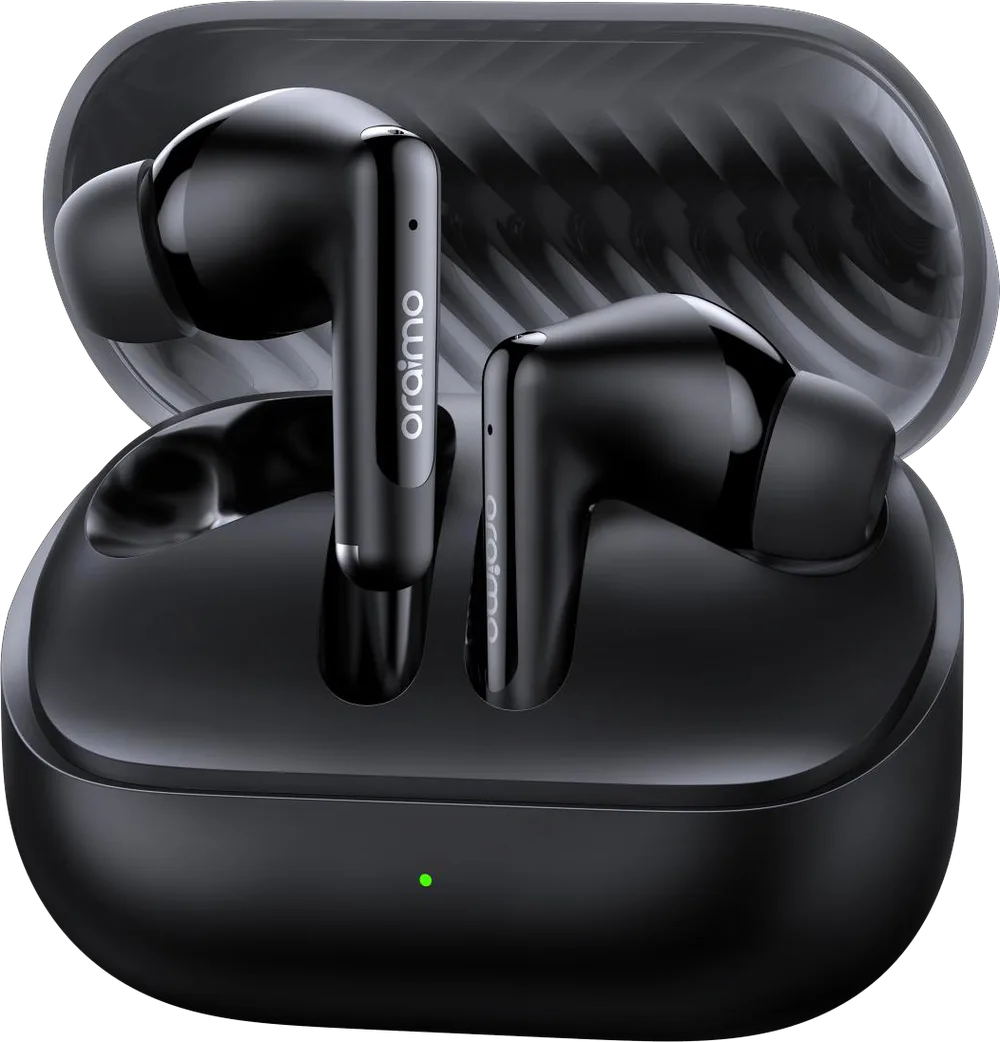
To pair oraimo earbuds, charge the case, open the lid near your phone and pick the earbuds (usually shown as "oraimo" plus the model name) in your phone's Bluetooth settings. On most current models, opening the case puts the earbuds into pairing mode automatically. To reset oraimo earbuds, first "forget" them on your phone, then put both earbuds back in the open case and use your model's reset method. That's a RESET button on some models, like the SpaceBuds 2, and a double-tap-and-hold on others, like the original SpaceBuds. Exact gestures vary by model, so treat the manual in your box as the final word. The steps below cover what applies across oraimo true wireless models.
Quick steps
Pair (first time):
- Charge the case and earbuds.
- Turn on Bluetooth on your phone.
- Open the case lid with the earbuds inside and wait for the indicator to blink quickly.
- Select the oraimo earbuds in your Bluetooth list.
Reset:
- Forget the earbuds in your phone's Bluetooth settings.
- Put both earbuds in the case and keep the lid open.
- Use your model's reset method (button or tap-and-hold, see the table below).
- Close the lid, reopen it, and pair again as new.
Before you start: three checks that solve most problems
oraimo's own troubleshooting advice starts with power and contacts, so do these before anything else:
- Charge properly. Fully charge the case, then leave the earbuds in it for about 30 minutes. A completely flat earbud may show only a brief flash when docked. oraimo suggests charging for about an hour in that case.
- Remove any protective film. New earbuds sometimes have a thin film over the charging contacts. If it's still there, the earbuds can't charge or wake up properly.
- Clean the contacts. Wipe the metal contacts on the earbuds and inside the case with a dry cotton bud. Sweat residue and dust are common culprits in the UAE.
How do you put oraimo earbuds in pairing mode?
On current oraimo earbuds, pairing mode normally starts when you open the case lid with the earbuds inside. oraimo describes this as "open and connect" on the SpaceBuds Neo 2 and "fast pairing once open the case" on the AirBuds 4. The SpaceBuds Neo uses a Hall sensor in the case for instant connection.
What the light tells you. oraimo's FAQ for its SpaceBuds models describes two patterns:
- Rapid blinking: the earbuds are in pairing mode and ready to connect.
- Slow pulsing: the earbuds are already connected to another device, such as your laptop, tablet or car. Turn Bluetooth off on that device, or reset the earbuds.
Other models may use different light colours or patterns, so check your manual if yours doesn't match.
Not showing up? Close the lid, wait a few seconds and open it again. The SpaceBuds N manual uses exactly this to re-enter pairing mode, and it's worth trying on any model before a full reset.
How to pair oraimo earbuds with each device
iPhone or iPad
- Open Settings > Bluetooth and make sure it's on.
- Open the case lid near the phone.
- Tap the oraimo earbuds under "Other Devices".
Android phone (Samsung, Xiaomi, Pixel and others)
- Open Settings > Connected devices (on Samsung, Settings > Connections > Bluetooth). Menu names vary slightly by brand.
- Tap Pair new device or scan.
- Open the case lid and tap the oraimo earbuds when they appear. Some newer oraimo products, such as the upcoming SpaceBuds Fit, support a Google pop-up notification, so you just tap "Connect".
Windows laptop
- Go to Settings > Bluetooth & devices > Add device > Bluetooth.
- Open the case lid and select the earbuds.
Mac
- Open System Settings > Bluetooth.
- Open the case lid and click Connect next to the earbuds.
After pairing, the earbuds should reconnect automatically to the last device whenever you open the case.
How do you reset oraimo earbuds?
A reset clears the earbuds' pairing memory. It's the standard fix when only one earbud connects, the earbuds keep connecting to an old device, or the sound lags or cuts out.
General steps (apply to most oraimo TWS models):
- Forget the earbuds on every device they've been paired with. On iPhone, tap the (i) next to the earbuds and choose Forget This Device. On Android, tap the gear icon and choose Unpair or Forget. oraimo specifically advises deleting all old entries for the earbuds from your Bluetooth list.
- Put both earbuds in the case, seated properly on the contacts, and keep the lid open.
- Perform your model's reset (see below).
- Wait for the confirmation, usually a light pattern or beeps.
- Close the lid, reopen it and pair as a new device.
Reset methods oraimo documents, by model
We've only listed methods that oraimo publishes. For any model not covered here, follow the manual or welcome guide that came in the box. oraimo also links welcome guides from many of its product pages.
| Model | Pairing mode | Reset method | Source |
|---|---|---|---|
| SpaceBuds 2 (OTW-631) | Open the lid; rapid blinking | Keep the lid open, put the earbuds in the case and long-press the RESET button for 5 seconds | oraimo product FAQ |
| SpaceBuds (OTW-630) | Open the lid; rapid blinking | Double-tap either earbud and hold until you hear six beeps | oraimo product FAQ |
| SpaceBuds N (OTW-626N) | Close and reopen the lid to re-enter pairing | Has a one-step reset button; check the manual for how long to hold it | oraimo feature list |
| SpaceBuds Neo, Neo 2, AirBuds 4, OpenSnap N2 and others | Open the lid | Follow the manual in the box | Model manual |
A note on inconsistencies: oraimo's SpaceBuds 2 FAQ also mentions double-tapping an earbud and holding it for 3 seconds to reset, and the original SpaceBuds FAQ mentions both "six beeps" and "3 seconds" in different answers. If one method doesn't work, try the other documented one for your model, then go by the box manual.
Don't improvise. Holding buttons or tapping in random patterns can trigger other functions, like voice assistants, ANC mode changes or power-off, without resetting anything. If a method isn't in your manual or in the table above, don't guess.
Troubleshooting common oraimo earbud problems
| Problem | What to try |
|---|---|
| Earbuds don't appear in the Bluetooth list | Charge the case fully, leave the earbuds in for about 30 minutes, remove any protective film, then open the lid and check for rapid blinking |
| Light pulses slowly and they won't connect | They're connected to another device. Switch off Bluetooth there, or forget the earbuds everywhere and reset |
| Only one earbud plays | Put both in the case, clean the contacts, forget the earbuds on your phone, then reset with both earbuds docked |
| Left and right volume sound different | oraimo suggests trying another track, adjusting how the earbud sits in your ear and gently cleaning the speaker mesh |
| One earbud won't charge | Check the light when you dock it. If it stays off, clean the contacts on the earbud and in the case |
| Case won't charge | Check the USB Type-C cable and adapter are firmly connected, then try a different cable and plug |
| Still connected with the lid closed | Make sure the lid is fully shut and clean the charging contacts. If it continues, the earbuds may need inspection |
| Sound lags or cuts out | Keep your phone within the roughly 10m Bluetooth range, then try a reset. For gaming, switch on game mode in the oraimo sound app where available |
Keep firmware and the app up to date
The oraimo sound app is where you customise EQ and touch controls, and on supported models update firmware. oraimo lists OTA updates, custom gestures and an earphone finder on the OpenSnap N2 (OPN-374N), for example. oraimo's own troubleshooting for ANC, transparency and lighting issues starts with installing the latest version of the app. If the app can't find your earbuds, make sure they're connected in your phone's Bluetooth settings first, then open the app.
When to get help
If your earbuds still won't pair or charge after the checks and the reset, there may be a hardware fault. Earbuds bought from us are covered by the 1-year oraimo warranty. Bring them to the store with your receipt; replacement of faulty units is handled as per oraimo's policy. See oraimo Warranty in the UAE for what's covered. If you bought your earbuds elsewhere and they behave oddly, read Fake vs Original oraimo and our authenticity page.
Shopping for a new pair? Compare the whole range in Best oraimo Earbuds in the UAE or browse wireless earbuds.
How to buy or get support in the UAE
Visit our store in Al Murar, Deira (8th Street, near Gold Souq metro station). We're open Monday to Thursday and Saturday 10:00 to 21:30, Friday 15:00 to 21:30, and closed on Sunday. You can also message us on WhatsApp at +971 55 710 0340 with questions, for today's price on a new pair, or for delivery anywhere in the UAE. All products are 100% original. See our warranty page or contact us.